
Shows the name of the current planetary hour at your location.
App walkthrough
How to Use the App
On-screen Elements and Their Functions
The annotated visuals below show exactly which areas of the app each numbered explanation refers to.
Annotated screen breakdown
The first visual covers the current planetary hour card and remaining time. The second visual covers the upcoming rows in the table.
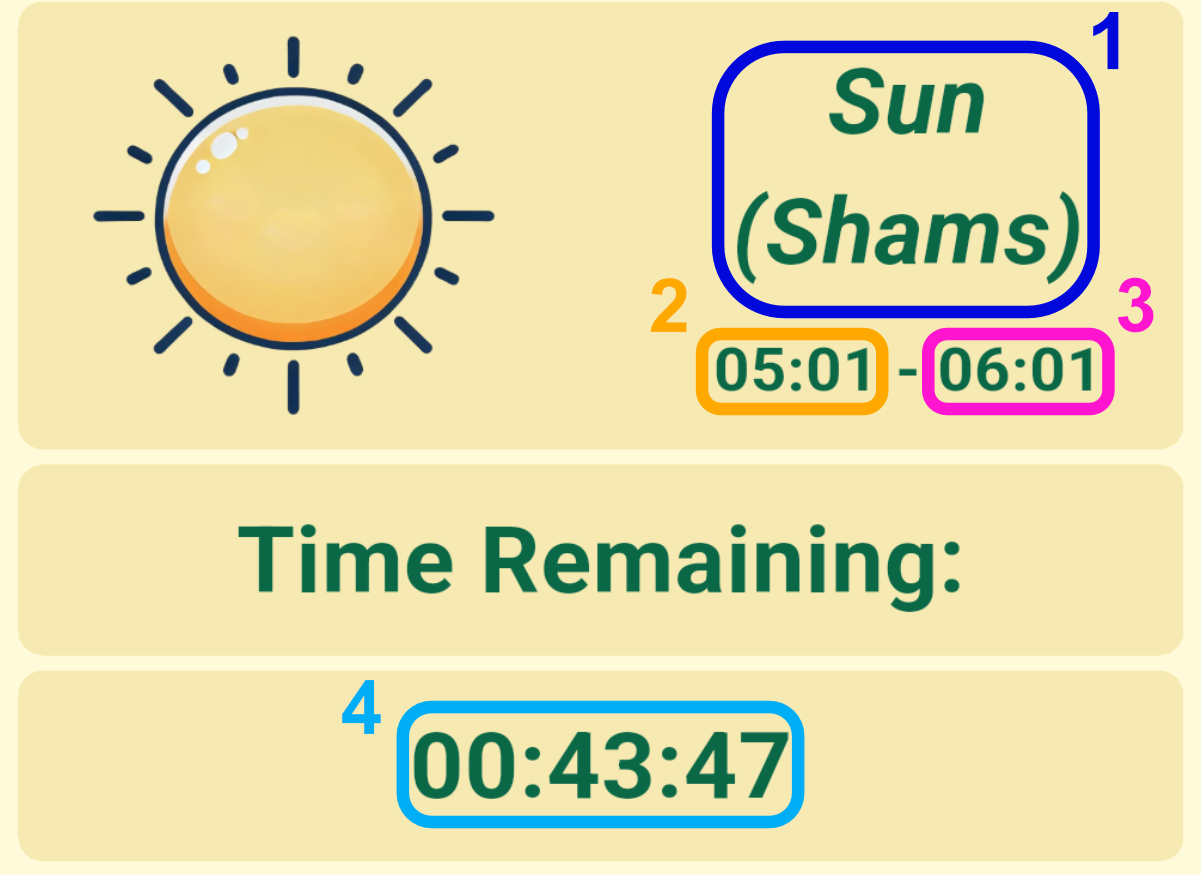
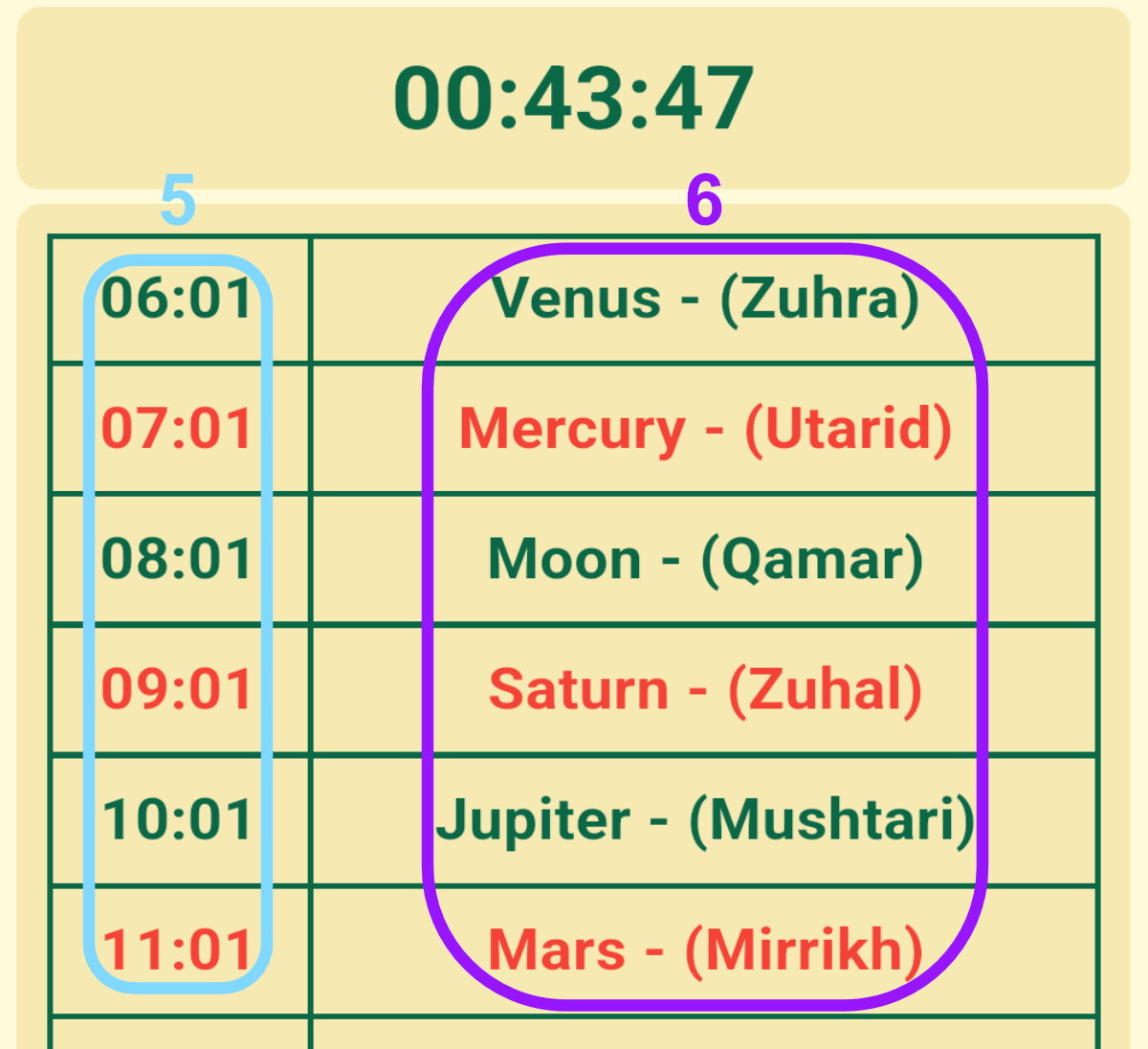
What each number means
Shows the start time of the current hour.
Shows the end time of the current hour.
Shows the remaining time until the current hour ends.
Shows the start times of upcoming planetary hours.
Shows the names of upcoming planetary hours.